Calculated Fields
You can use Calculated Fields to create a column in the SELECT statement that is not based directly on a table column.
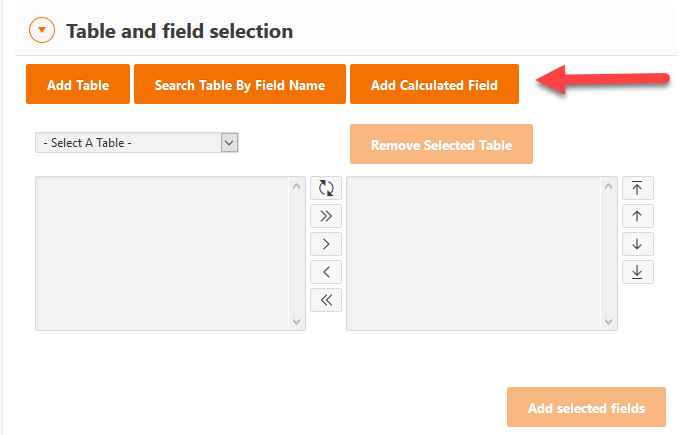
Calculated Fields can be created by clicking on the Add Calculated Field button in the Table and field selection.
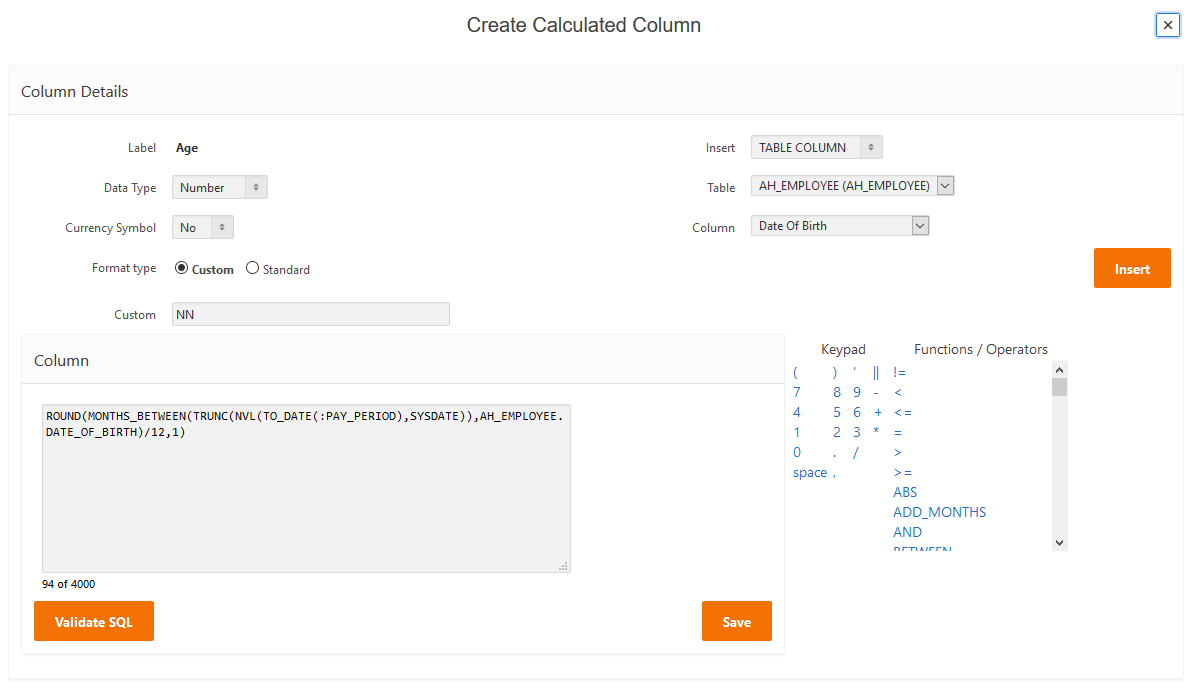
A calculated field can be based on any database function which returns a value - this can include built-in Oracle functions (such as SYSDATE, TO_DATE etc.), CASE and DECODE statements, sub-queries, string values and calls to database PL/SQL packages and functions.
To create a calculated field, first you need to define a label for the field. This is the column label that will display when the report is run.
The Data Type for a calculated field can be either a character, date or number value. If it is defined as a date or number value, then additional formatting options will display to allow you to apply standard or custom formatting.
If you have custom formatting that is frequently used, it can be added to the standard list of formats via FA003 - Code Maintenance where KIND is EXT_NUM_FORMAT (for number formats) or EXT_DATE_FORMAT (for date formats). Formats must be supported by Oracle SQL.
To add text to the calculated field, you can either type directly into the Column text box or you can select items from the right of the page to insert. These items can include table columns, parameters, characters from the keypad and/or functions and operators from the list provided.
Use the Validate SQL button to ensure the column contains valid SQL.
Use the Save button to save the column into the report.