HTML Columns
To apply html text to data values, the column type must be set to ‘HTML’ and the column defined as a calculated column. For example, two calculated columns have been added to the following report.
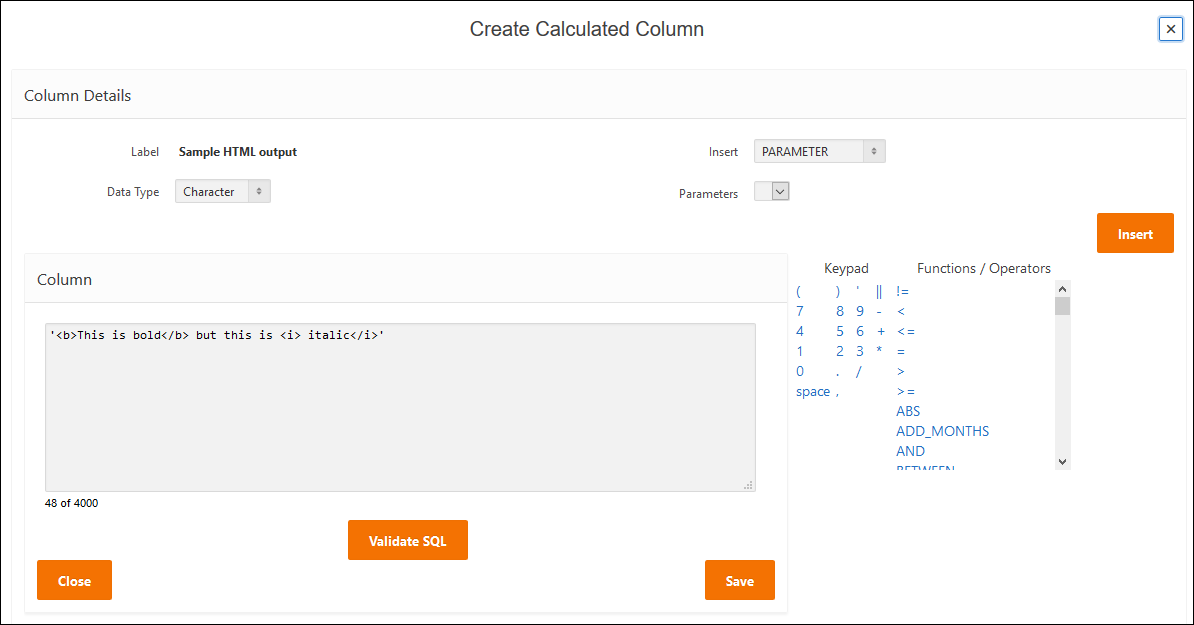
The first is simple html applied to text. Html is applied to the text. Add a column break based on this column to show the text as a sub heading in the report. Calculated column setup is as follows:
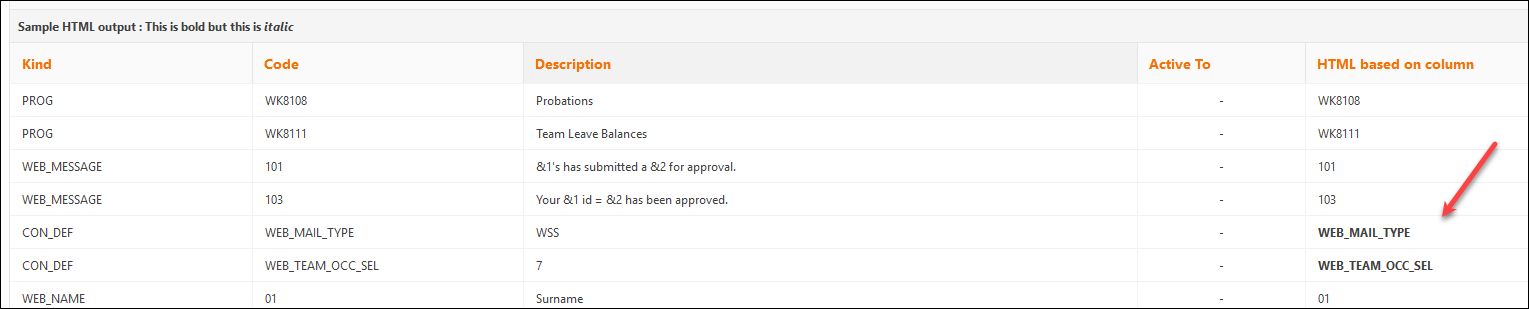
The report output results in the following:

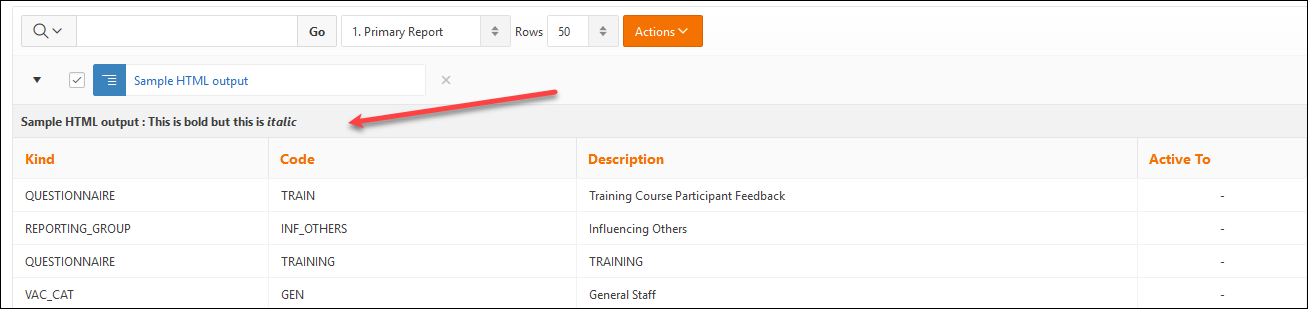
Apply a page break based on the calculated HTML column to refine the report output and html formatted column becomes a sub heading.
The second example is where conditions are applied to the values in a column. For example:
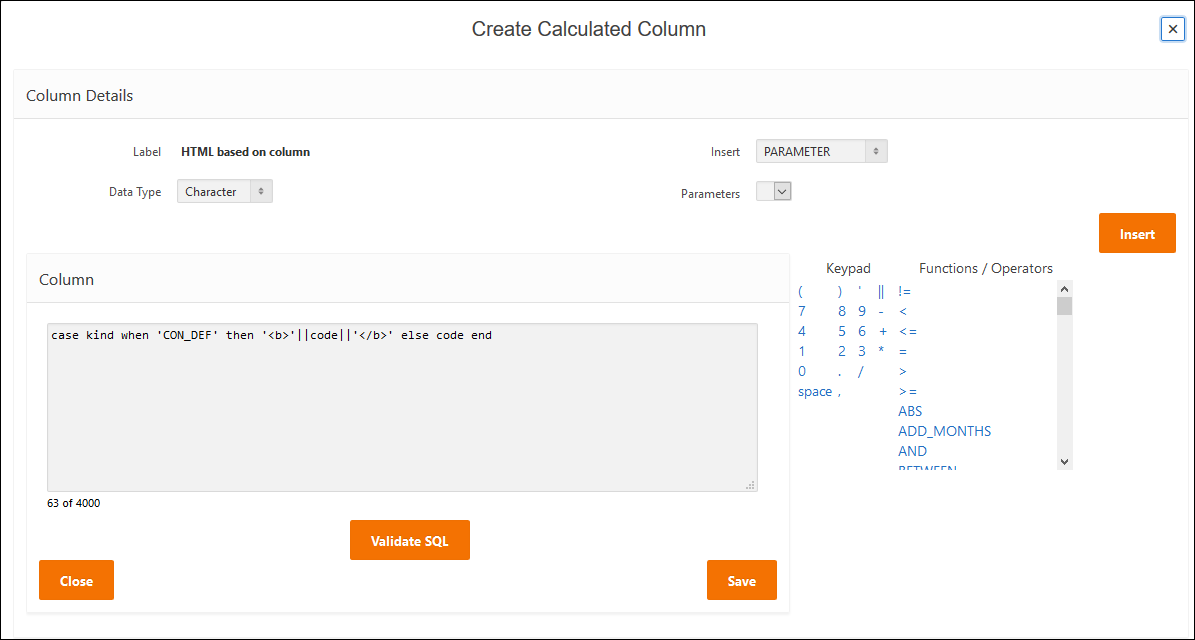
This results in the CON_DEFs reported in bold text and all other values in plain text.